How to seat guests at tables
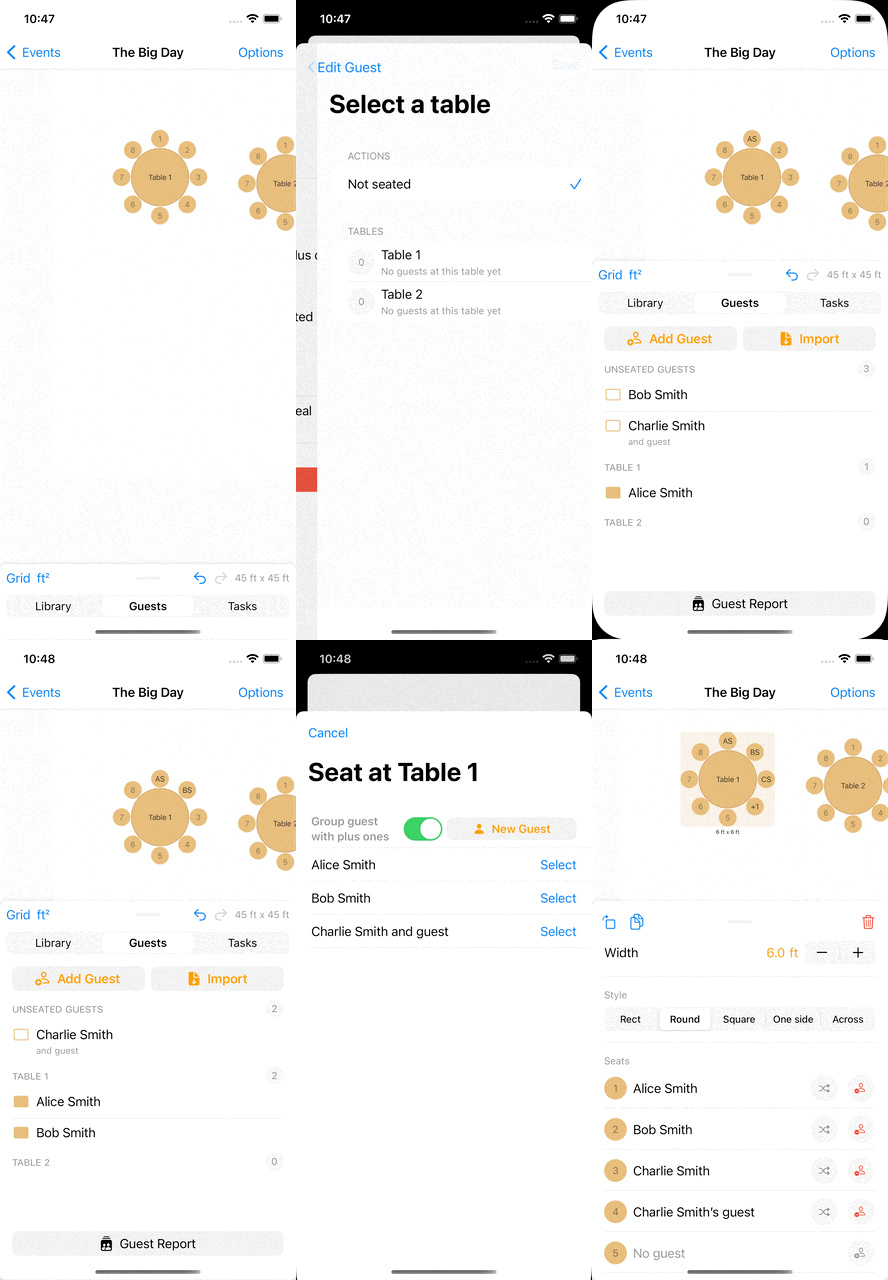
There are several ways to seat guests at tables.
- Edit the guest and select a table from the table picker.
- Tap a seat to open a guest picker for that seat.
- Edit a table and use the
add guesticon next to each seat. - To unseat a guest, open the guest or the seat and remove the seat assignment.
How to seat more guests at a table
Use the add seat button to add more seats to a table. Alternatively, if you open a guest and choose an existing table, a new seat will be created automatically.
Removing a guest from a seat
If you need to move someone or leave a chair empty, open the seated guest and clear their table or seat. This unseats the guest without deleting the guest from your guest list.
Demo