Share an event with view-only or edit permissions
Share links let you give other people access to an event without handing over your own account.
- Open event settings.
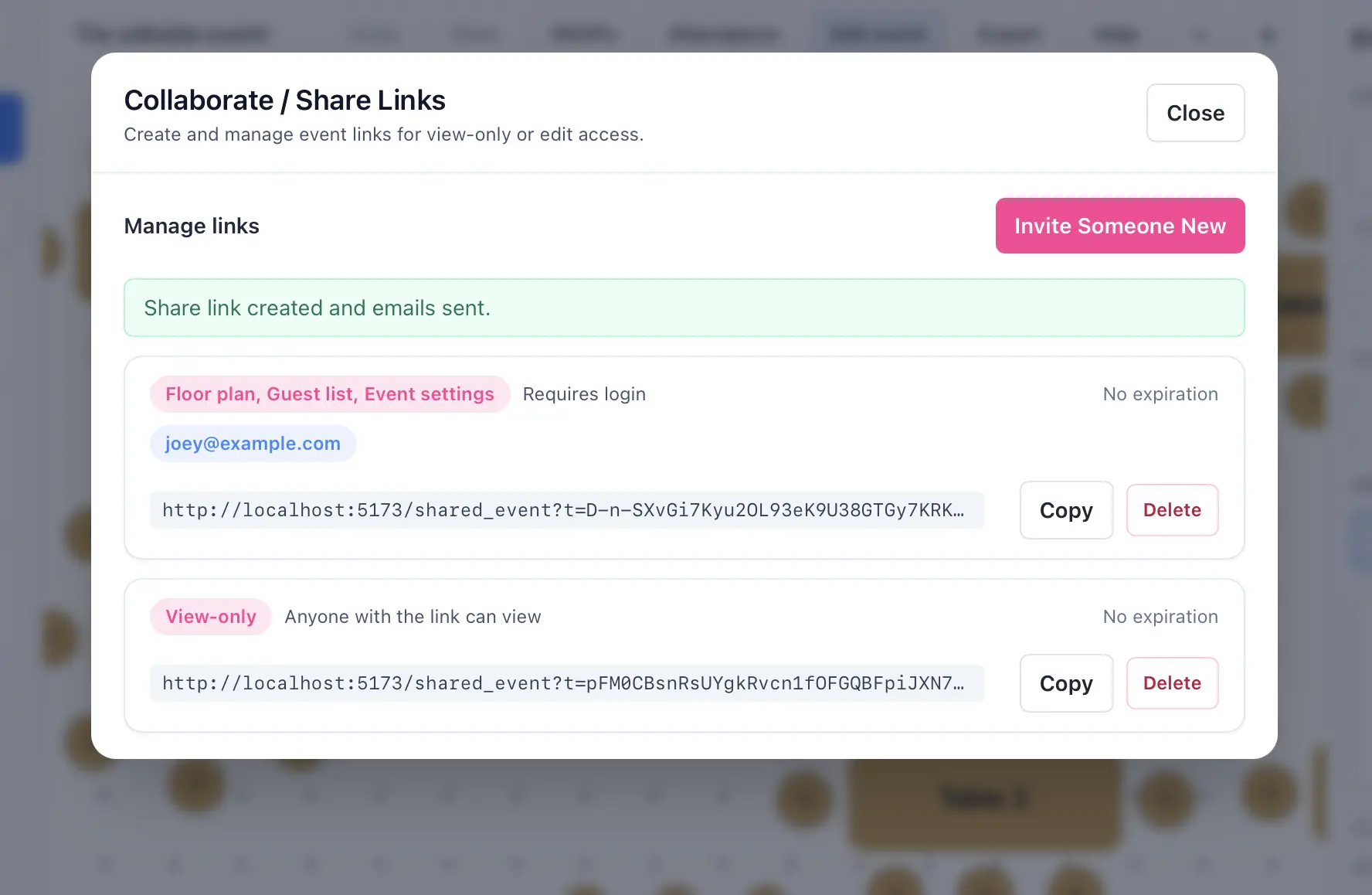
- Open the share-link management tools.
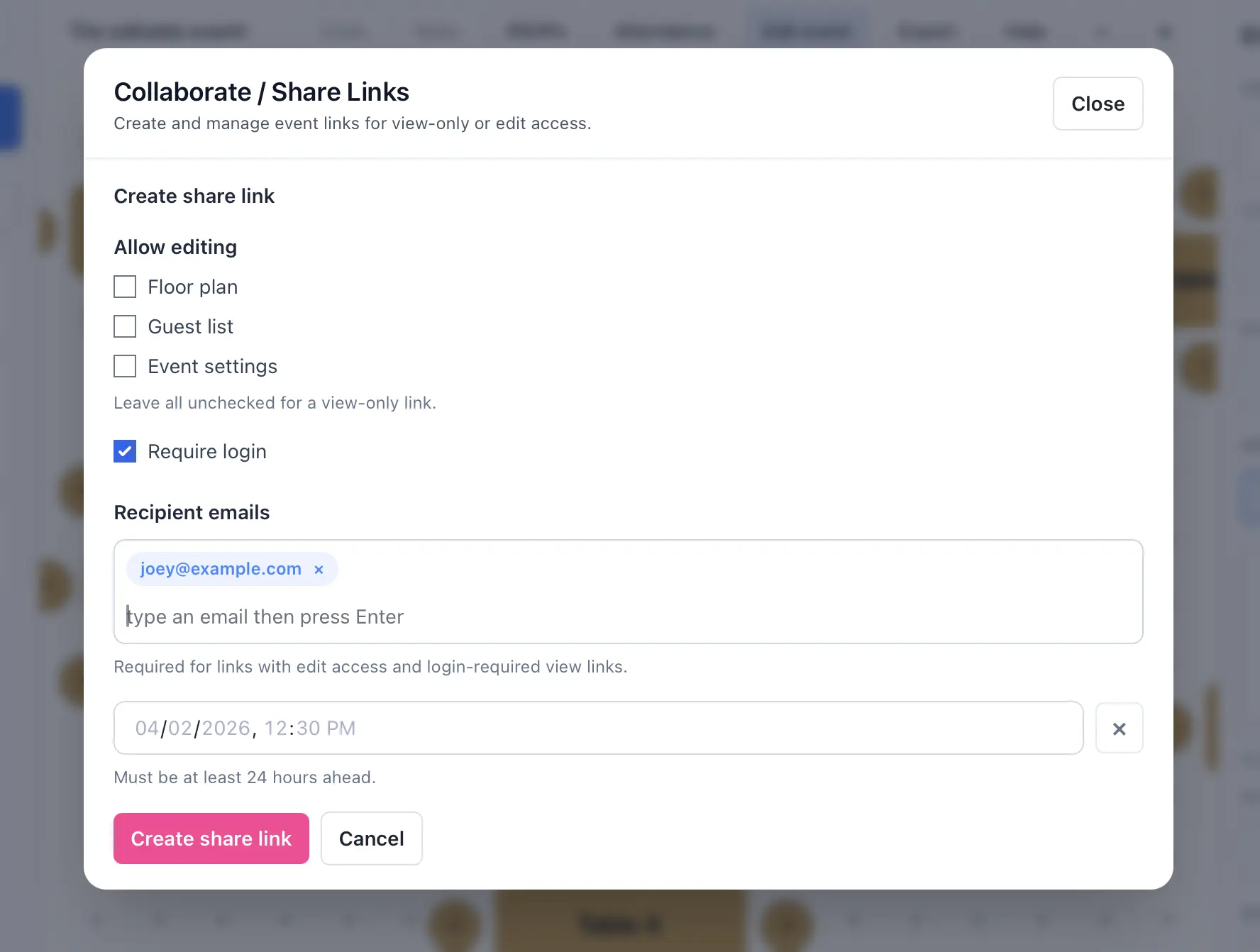
- Create a new share link.
- Choose the permission level for that link, such as view-only or edit access to guests or the floor plans.
- Optionally require login, restrict the link to specific email addresses, or set an expiration time.
- Copy the link and send it to the recipient.
- Return to the same screen later to revoke or delete old links.
Permission notes
- View-only links can optionally require login, or allow anonymous floor plan access.
- Edit-capable links require login-required behavior.
- The share-links feature requires an active subscription.