
Every seat faces the moment
Theater-style seating for the moment ahead.
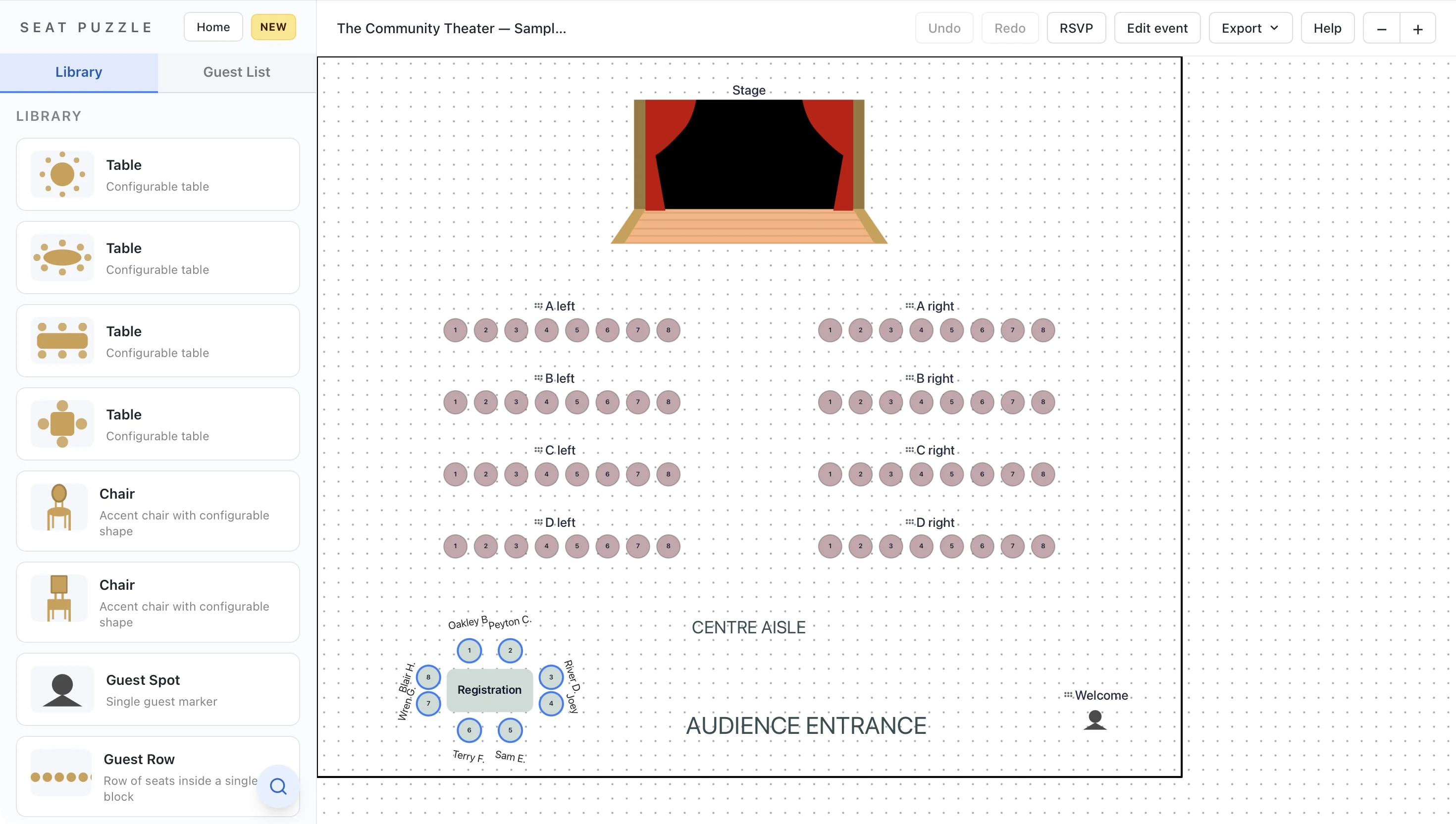
Plan rows, small seating blocks, or curved chair arrangements around your event’s focal point. Use a visual floor plan to discuss the stage, aisles, and audience setup before the room is arranged.
Plan online in your browser, or explore Seat Puzzle for iPhone, iPad, and Mac.
- Standalone chair placement
- Move, rotate, and duplicate
- Rows, arcs, and small groups
A little structure. A better event.
Build the audience around the focal point.
Place the presentation area first, then shape the chair arrangement around it.
Set the direction
Position the stage, speaker, or ceremony area. Decide where the audience will face and where guests will enter.
Arrange the chair objects
Add chairs from the library, then move, rotate, and duplicate them to form rows or clusters. Leave visible breaks for aisles.
Choose your seating workflow
Use standalone chairs for a visual setup. When guests need specific assignments, use guest-based seating items that support assigned seats.
Make it work in your space
A chair diagram and a guest assignment are different jobs.
Choose the objects that match what you need to communicate.
Straight rows for a shared focal point
Arrange chair blocks facing the presenter or ceremony area. Use gaps between blocks to represent the aisles you want to discuss with the venue. Include equipment or staging that could affect the audience’s view.
Curves and small groups
When the event calls for a less formal arrangement, use individual chairs to build an arc or a cluster. Duplicate and rotate chairs to refine the shape. The layout stays under your control rather than being generated from an assumed room setup.
Be clear about what the drawing represents
A standalone chair shows where furniture belongs. An assigned guest seat needs a seating item that supports the guest workflow. Make that choice before adding names, and use the standalone-chair guide to learn the visual placement tools.
Good questions
Questions about theater-style seating.
Can guests be assigned to every standalone chair?
Standalone chair objects are intended for flexible visual placement. Use guest-based seating items when you need individual guest assignments.
Can I create curved rows or chairs around a stage?
Yes. Place chairs individually, duplicate them, and rotate the copies around the focal point. This is a manual arrangement rather than an automatic arc generator.
Can I share the chair layout with a venue?
Yes. Share an event link or export a floor plan image from the web app. The Apple apps also provide PDF export options.
Your space. Your people.