
For a room with a purpose
Gala seating, thoughtfully arranged.
Bring sponsor hosts, longtime donors, and first-time guests into one clear plan. Design your gala floor plan, organize guest parties, and work through the seating details before the ballroom fills.
Plan online in your browser, or explore Seat Puzzle for iPhone, iPad, and Mac.
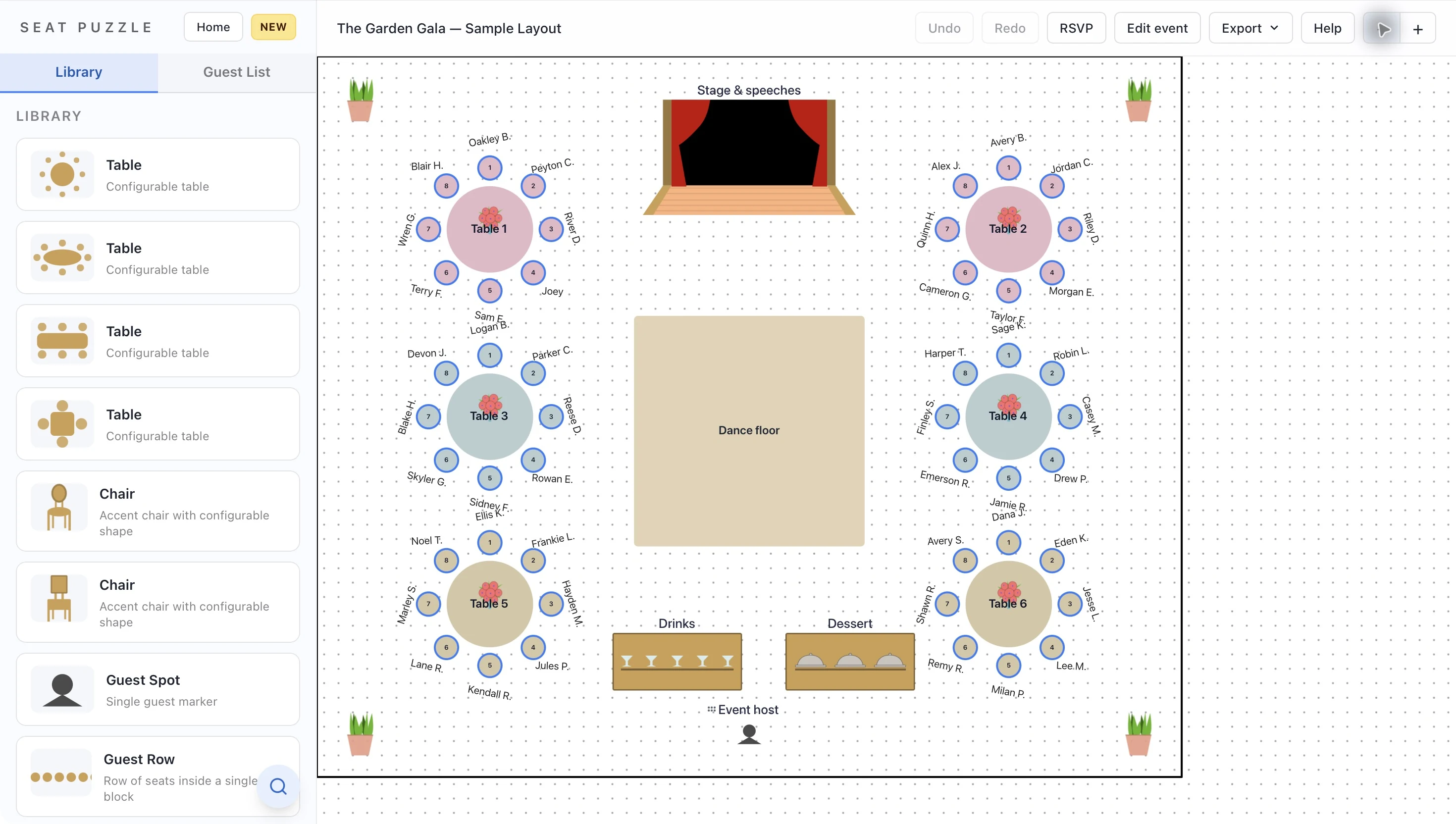
- Named sponsor tables
- Guest parties kept together
- A clear plan for your team
A little structure. A better event.
Build around the people behind the cause.
Start with the program, then arrange tables and guests around the moments that bring everyone together.
Give the program a focal point
Place the stage or presentation area first. Then add guest tables with the auction, speeches, and dinner service in mind.
Make hosted tables easy to find
Name tables for sponsors or hosts. Group their guests into parties so you can review who belongs together while making assignments.
Share the seating decisions
Give collaborators editing access or share a view-only event link. Make final guest changes in the plan your team is reviewing.
Make it work in your space
The room should support the evening.
A sponsor’s guests, an auction display, and a dinner service team each need something different from the same floor plan.
Keep relationships visible
Start with the people hosting a table and add their guests to a party. Use table names to distinguish sponsorship groups from general seating. When a guest’s plans change, review the whole party before moving one person to another table.
Leave room for the rest of the fundraiser
A gala often needs more than dinner tables. Place the auction display, welcome area, presentation space, and any entertainment on the diagram. Review the routes between them with the venue team before settling the layout.
Prepare a useful handoff
Agree on table names before sharing the plan with volunteers and vendors. A web event can be shared by link or exported as a PNG. The iPhone, iPad, and Mac apps also offer PDF and guest-report workflows for the final handoff.
Good questions
Questions about galas & fundraisers.
Can I name tables after sponsors?
Yes. Give tables names or labels so your team can identify hosted tables as you assign guests and review the floor plan.
Does Seat Puzzle manage donations or ticket sales?
Seat Puzzle handles the floor plan, guest list, and seating. Manage donations, sponsorship payments, and ticket sales separately, then bring your guest list into Seat Puzzle.
Can I import our gala guest list?
Yes. Export a CSV from your spreadsheet or other system and use guest import. Review the detected columns and imported guests before assigning seats.
Your space. Your people.