
From first consult to final layout
Wedding seating software for the way you plan.
Give each wedding a clear home for its floor plan and guest seating. Work through layouts with the couple, coordinate changes with your team, and share a plan vendors can actually use.
Plan online in your browser, or explore Seat Puzzle for iPhone, iPad, and Mac.
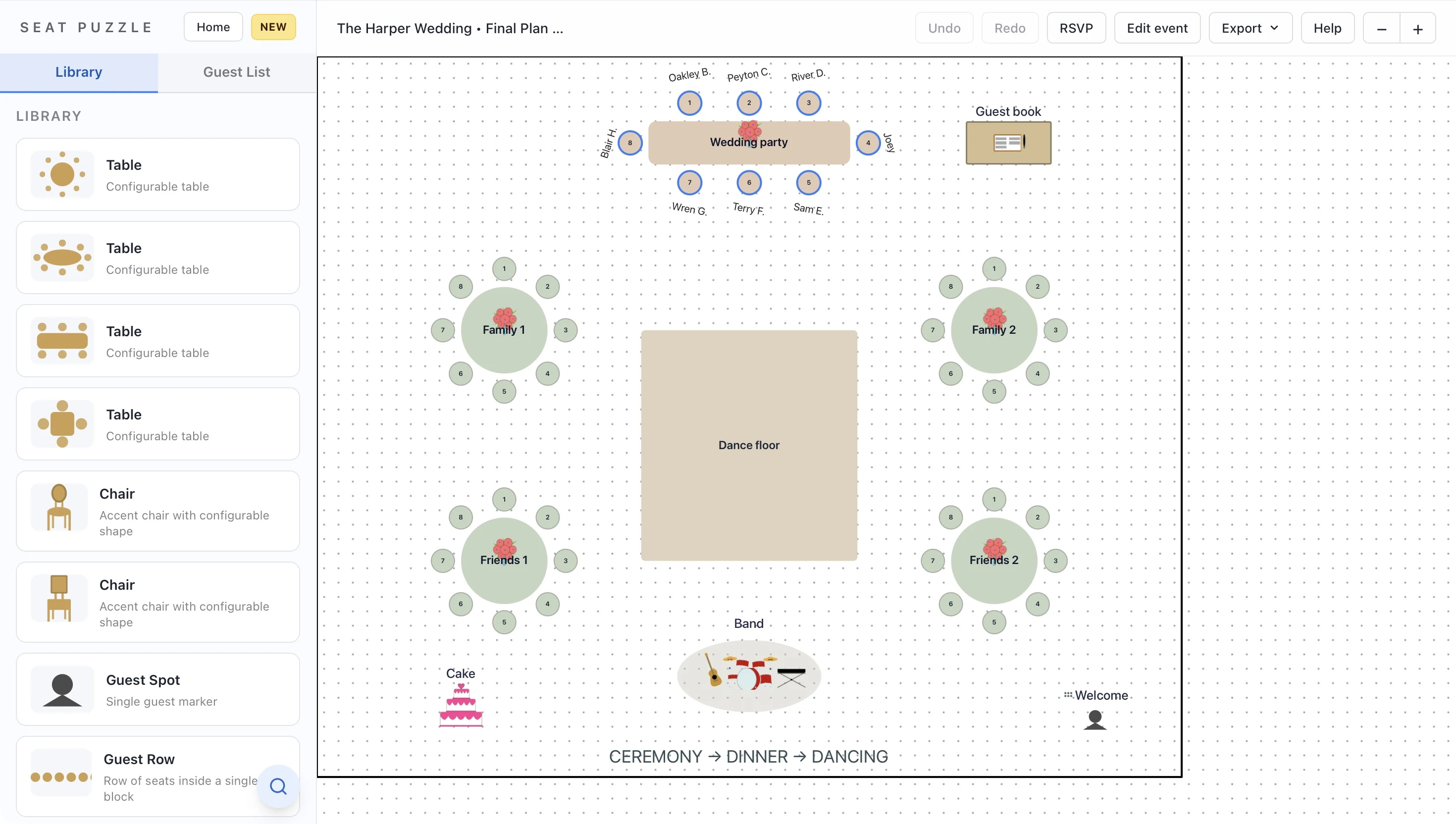
- Separate events for each client
- Shared planning permissions
- Vendor-ready floor plans
A little structure. A better event.
A calmer workflow for a moving guest list.
Start with the venue, bring the couple into the conversation, and refine the seating as the details arrive.
Give each client their own plan
Create a separate event with its own date, venue layout, and guests. Use clear event names so you can find the right wedding quickly.
Collaborate with the couple
Share the event with editing access when the couple is helping with seating, or view-only access when they are reviewing your layout.
Prepare the vendor handoff
Review table names, seating assignments, and furniture placement. Share the current plan and choose the export format available in the app you use.
Make it work in your space
The details are personal. The process can be repeatable.
Spend less time rebuilding the room and more time making decisions with your clients.
Keep each wedding recognizable
Name events with the couple and date, then establish a consistent naming system for tables and areas. It is easier to review a revision when everyone knows which wedding, room, and version they are discussing.
Reuse the foundation
For familiar venues, native-app templates preserve the floor plan without carrying over a previous client’s guest list. Add custom photo-based objects in the Apple apps when a rental piece or décor choice is central to the design.
Connect the layout to the guest decisions
Import the couple’s guest spreadsheet as a CSV, check their parties, and start assigning seats. Keep the couple involved in relationship-sensitive decisions while you refine the room. When the plan is ready, share the event with the people coordinating the day.
Good questions
Questions about professional wedding planners.
Can I plan more than one wedding?
Yes. Seat Puzzle supports managing separate events, each with its own floor plan and guest list.
Can couples help with the seating chart?
Yes. Invite them to a shared event with editing permissions when they should make changes. Use view-only access for review.
Which features are specific to the Apple apps?
Reusable floor plan templates, custom photo-based items, PDF exports, and guest-report exports are documented in the iPhone, iPad, and Mac apps. The web app supports floor planning, guest import, event sharing, and PNG export.
Your space. Your people.