
For the details that make it yours
Your furniture. Your décor. Your floor plan.
A distinctive lounge chair. A client’s display. A rental piece that sets the tone. Add your own photos as floor-plan items in the Apple apps so the layout can include the objects that matter to your event.
Photo-based custom items are available in Seat Puzzle for iPhone, iPad, and Mac.
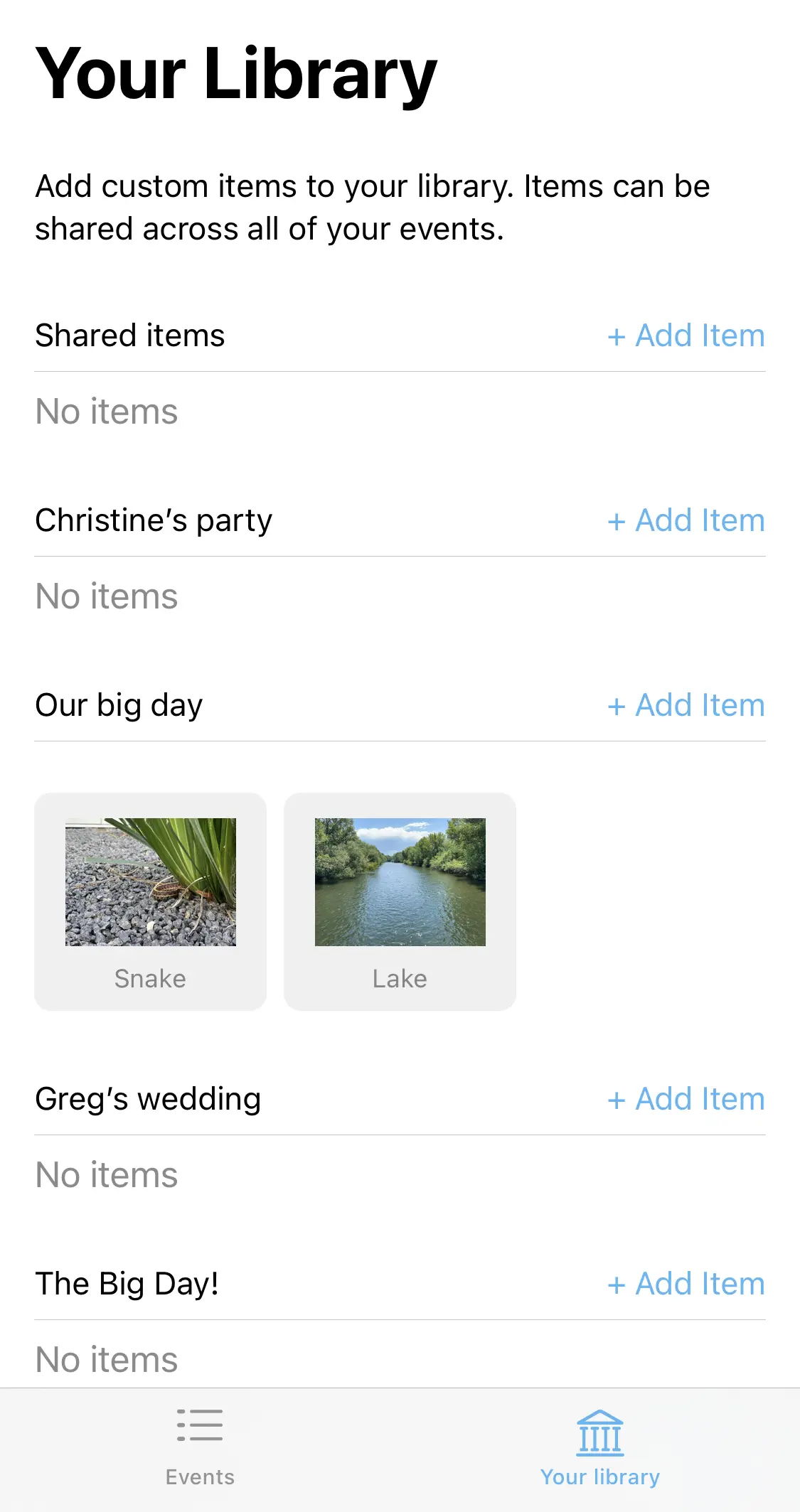
- Create items from your photos
- Set a real-world width
- Save for one event or many
A little structure. A better event.
From a photo to a place in the room.
Create the item once, then use it where it belongs in the layout.
Choose your item photo
Find a clear photo of the object you want to represent. Open Your library in the Apple app and choose whether the item belongs to one event or all events.
Name and size the item
Add the photo, give the item a recognizable name, and specify its real-world width. The image’s aspect ratio determines its other dimension.
Place it in the layout
Save the item to your library and add it to the floor plan. Arrange it with the tables, seating, and other event furniture.
Make it work in your space
Show the piece behind the idea.
A recognizable object can make a layout discussion more concrete for clients and collaborators.
Pick an image that communicates the object
Use a clear image with the furniture or décor easy to recognize. An overhead view is often useful in a floor plan. The image represents the item visually, so choose a view that makes its intended placement understandable.
Check the item’s size
The custom-item form asks for a real-world width and uses the image’s proportions for the other dimension. Check the result against the actual piece before using it to judge the arrangement. A decorative photo can be useful for presentation without being a precise footprint.
Build a library that suits your work
Save recurring rental pieces across events, and keep a client-specific object attached to that event when appropriate. Name items clearly so you can find them again. The custom-item guide walks through the Apple-app setup.
Good questions
Questions about custom furniture & décor.
Can I add an item that is not in the built-in library?
Yes. In the Apple apps, create a custom item from a photo in Your library. Name it and specify the real-world width before saving.
Can an item be available in all my events?
Yes. You can choose whether a custom item is specific to one event or available across your events.
Does this create a 3D model from a photo?
No. The documented feature adds a photo-based floor item. Its size uses the width you provide and the image’s aspect ratio; it is not a 3D modeling workflow.
Your space. Your people.