
A familiar room. A fresh start.
Floor plan templates made to be used again.
When you know the venue, you should not have to redraw it for every event. Create your own floor plan templates in Seat Puzzle for iPhone, iPad, and Mac, then start the next celebration with the room already in place.
Reusable templates are available in Seat Puzzle for iPhone, iPad, and Mac.
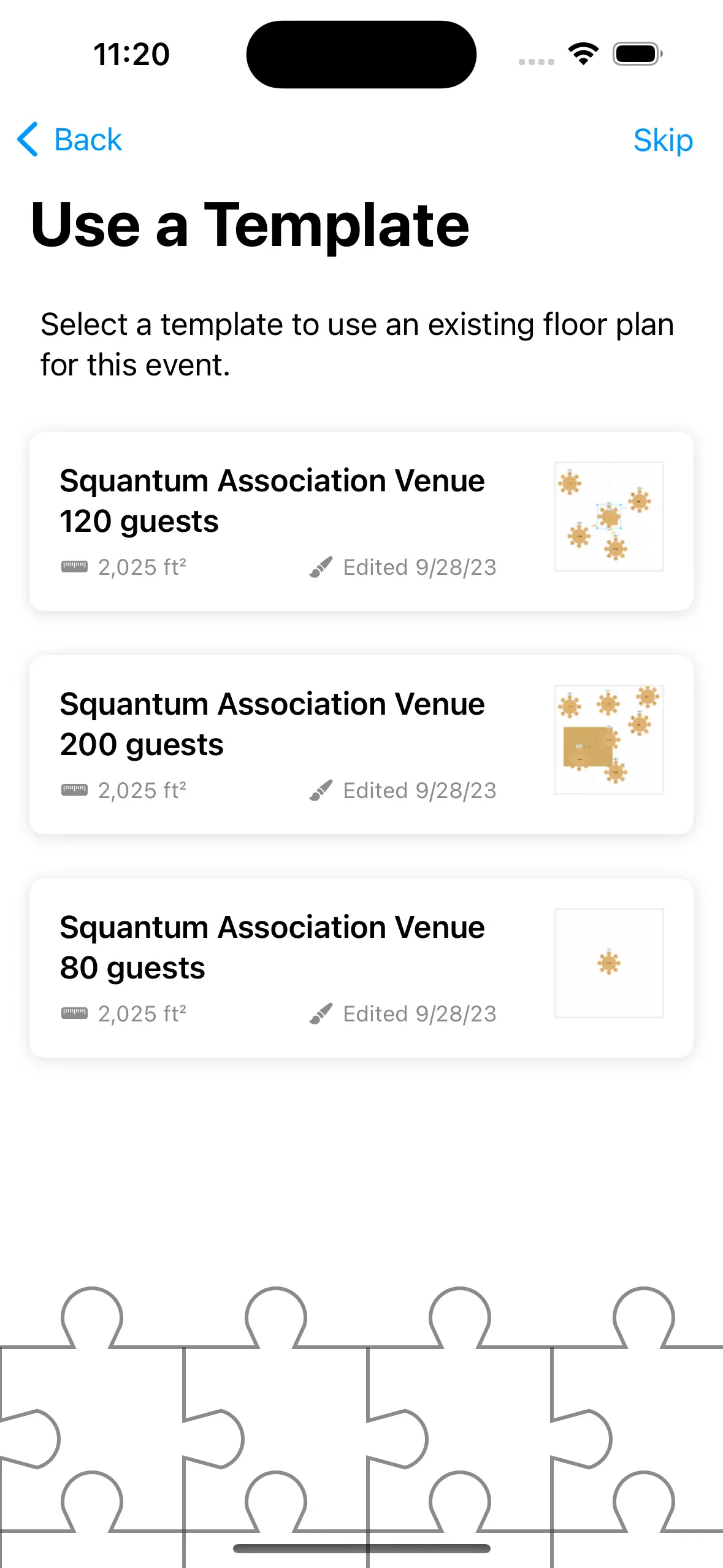
- Your own saved layouts
- Fresh guest lists for new events
- Independent event changes
A little structure. A better event.
Turn a good setup into a useful starting point.
Save the parts you want to repeat, then personalize the next event from there.
Create your template
Open Templates in the Apple app and build the floor plan. Set its size, appearance, furniture, and other reusable details.
Use it for a new event
Select the template when creating an event. The floor plan’s shape, size, colors, and items become the starting arrangement.
Make it fit this occasion
Adjust the event and add its own guest list. Changes to the event do not modify the template you started from.
Make it work in your space
Reuse the room, not last month’s guest list.
Templates contain the layout. The new event is where its people and planning details belong.
Save the parts that repeat
Room dimensions, fixed structures, and familiar table arrangements are good foundations for a template. Keep the starting layout clear enough that you can recognize it months later. Create separate templates when a venue regularly uses different configurations.
Keep each event independent
When you choose a template during event creation, the resulting event can be changed for that client or occasion. Move a table, change the layout, and add guests without altering the original template. That makes it easier to reuse the same foundation confidently.
Name templates for the setup
A name such as Garden Room — Dinner or Main Hall — Presentation is more useful than a previous client’s name. The template guide shows how to create and use templates in the Apple apps. For a one-off copy of an existing event, see the separate event-copy workflow.
Good questions
Questions about reusable floor plan templates.
Do templates include guest lists?
No. Floor plan templates do not have a guest list or to-do list. They store the layout you want to reuse.
Will changing an event change its template?
No. Modifying an event created from a template does not affect the associated template.
Are these downloadable, ready-made templates?
This feature lets you create and reuse your own layouts inside the iPhone, iPad, and Mac apps. The diagrams on this marketing site are inspiration, not downloadable template files.
Your space. Your people.