Group guests into parties and add plus-ones
Parties help you keep couples, families, and other guest groups connected.
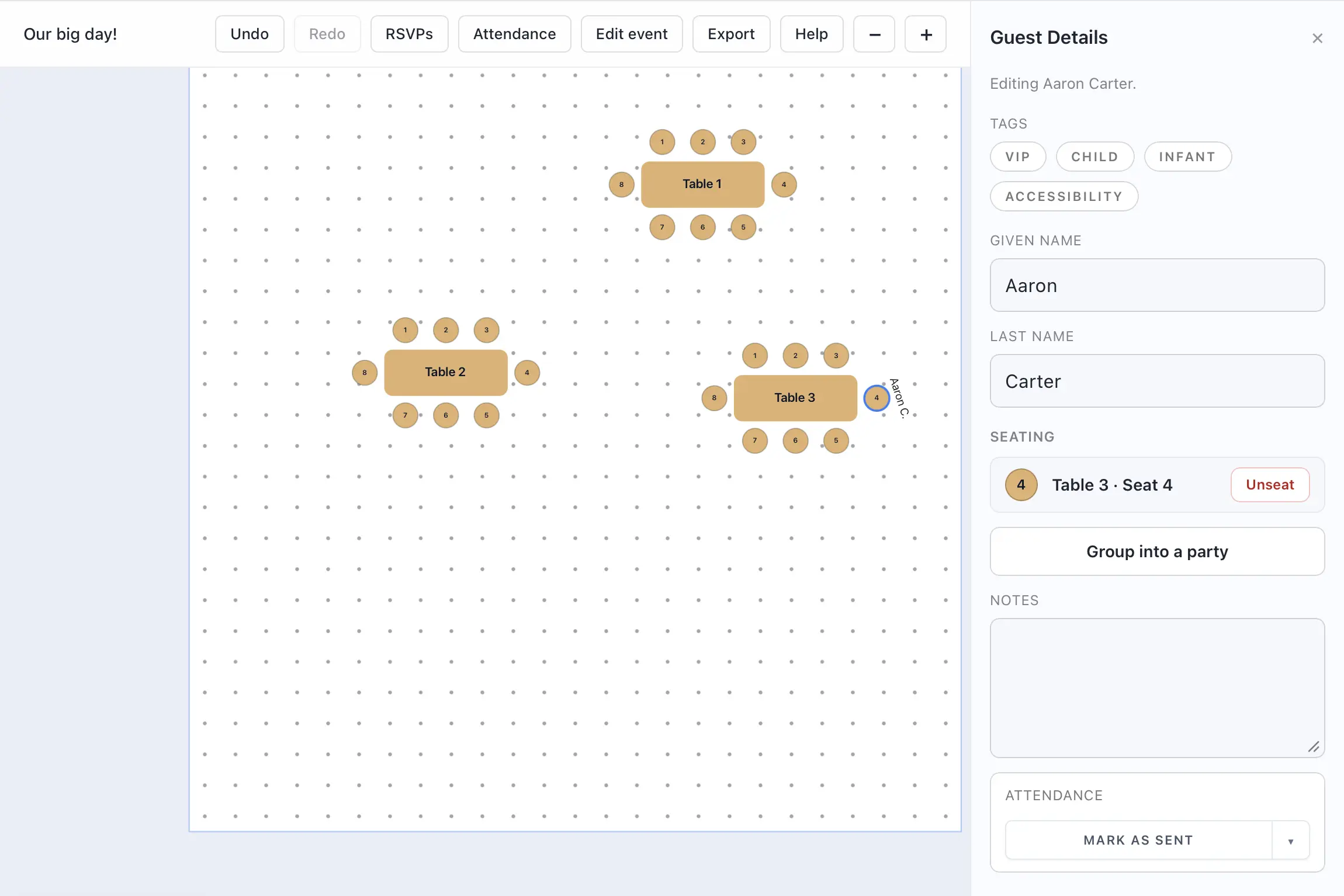
- Open a guest record from the guest list.
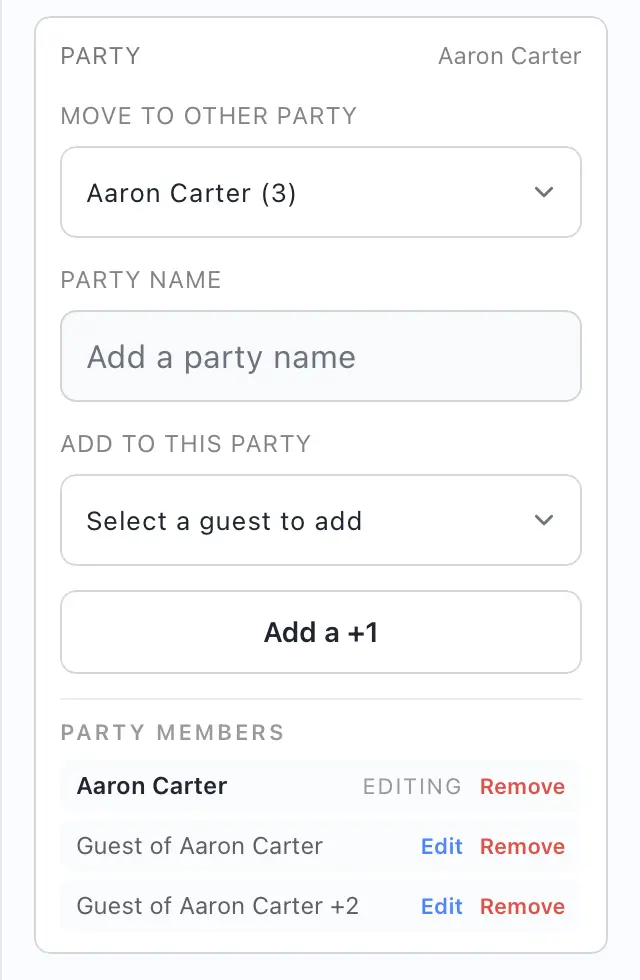
- Use the party controls to create a new party or add the guest to an existing one.
- Add another guest or a plus-one to the party.
- Rename the party if you want a clearer label.
- Save the changes.
You can also remove a guest from a party later or jump directly to another member of the same party from the detail panel.
Why parties help
- Parties make it easier to seat related guests together.
- Shared party information is easier to review during attendance and RSVP workflows.
- Larger groups can be named for faster scanning in the guest list.