
Navigate the planner canvas
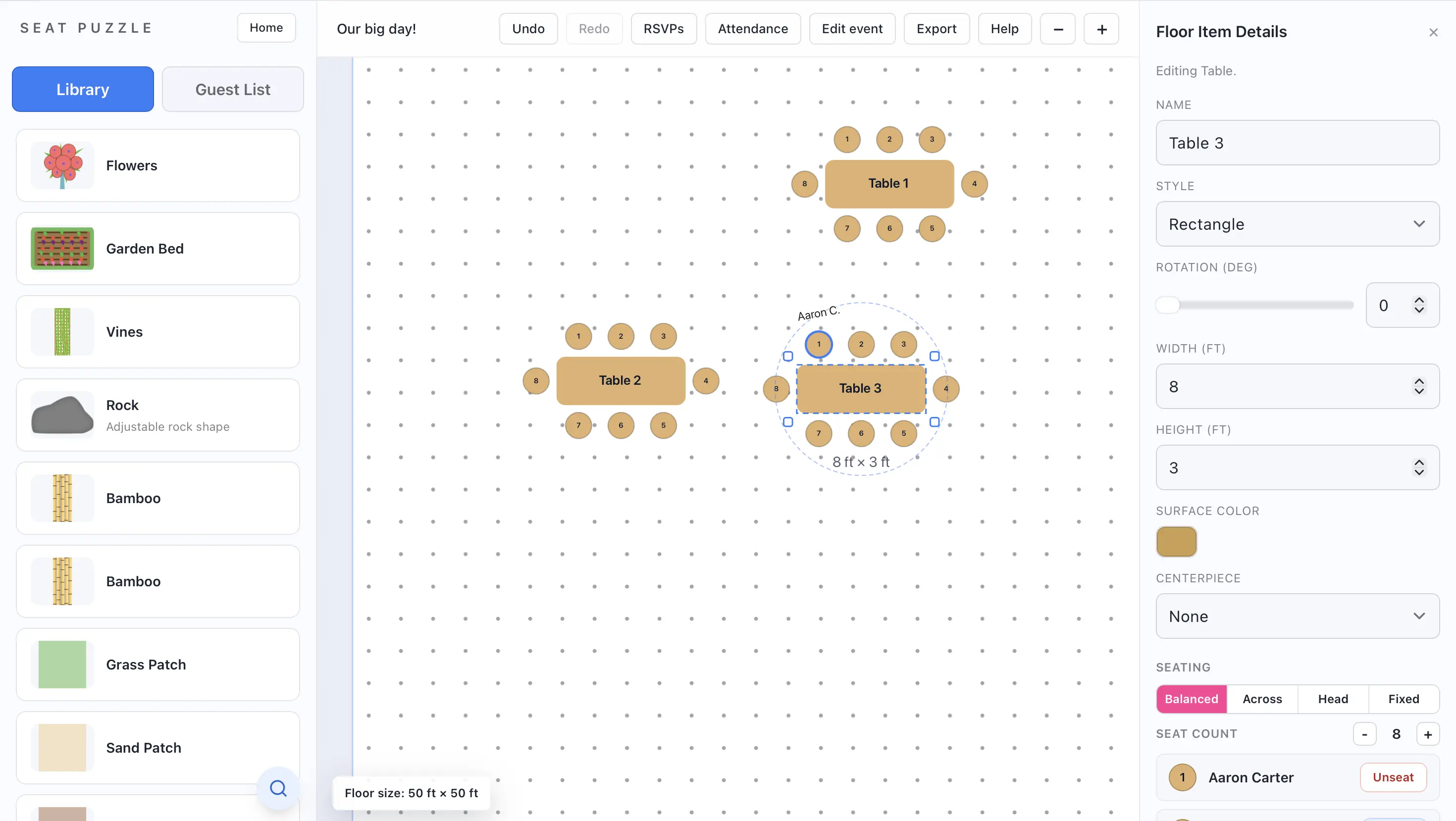
The planner workspace includes the item library, the floor plan canvas, and a detail panel.
- Open an event to enter the floor planner.
- Use the zoom controls to zoom in or out.
- Pan around the floor plan to inspect different parts of the layout.
- Use undo and redo when you want to step backward or forward through changes.
- Select an item or guest to open the relevant detail panel.
Planner access modes
- Some shared events open in full edit mode.
- Some collaborators can edit guests but not the floor plan.
- View-only shares can inspect the layout without editing tools.