
Set the scene for the big night
A prom seating plan for a night to remember.
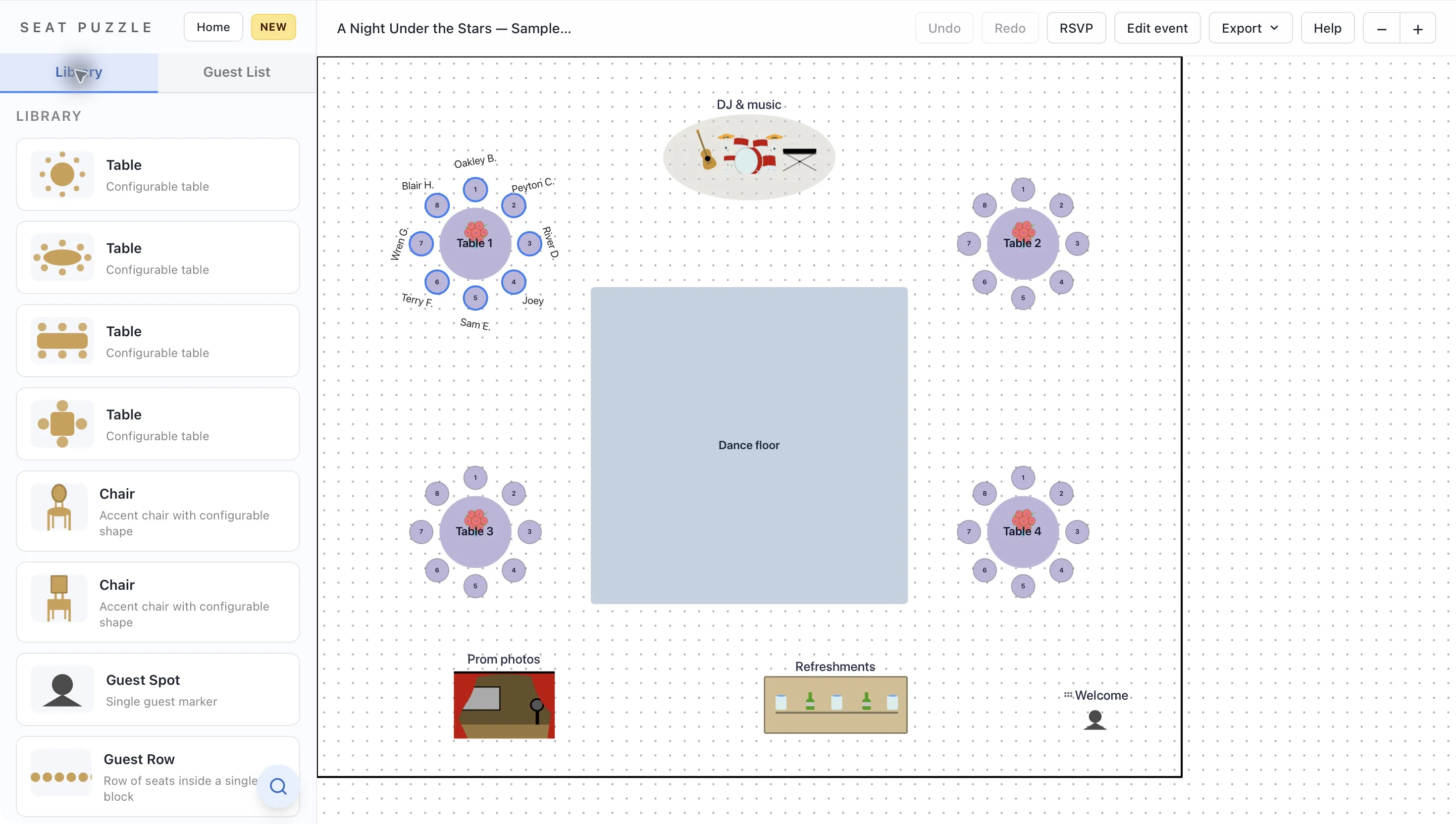
Give friend groups a place to gather and the dance floor room to shine. Lay out prom tables, entertainment, and photo areas in one view your organizing team can work from.
Plan online in your browser, or explore Seat Puzzle for iPhone, iPad, and Mac.
- Organize guests into parties
- Arrange dining and dancing
- Share with the organizing team
A little structure. A better event.
Bring the whole night into the picture.
Tables matter, but so do the spaces everyone will move between.
Place the main attractions
Start with the dance floor, DJ, and photo area. Then add tables and any refreshments so the plan includes the whole event.
Work through friend groups
Import guests from a CSV and organize them into parties. Review party sizes before assigning seats around the available tables.
Review the event together
Share the floor plan with the organizing team and venue. Check the entrance, staff area, and routes between the tables and dance floor.
Make it work in your space
A plan for more than dinner.
Give your team a way to discuss the room before the decorations arrive.
Establish the table plan before the seat plan
Place the furniture and choose table names before assigning guests. That gives your team a stable structure for discussing friend groups. When attendance changes, review available seats and the affected party together rather than rebuilding the room.
Let dancing and photos have their own space
Include the DJ area and photo setup in the floor plan from the beginning. Review where guests will wait or gather around them. Their positions can affect nearby tables even when the furniture itself fits neatly on the drawing.
Give staff a useful reference
Mark the entrance and staff area with names everyone recognizes. Share the layout with the people supervising and setting up the event. Keep event access limited to the people who need it, and use a floor plan export when only the room arrangement needs to be shared.
Good questions
Questions about proms.
Can I import a list of students?
Yes. Import a CSV guest list and review the detected columns. After import, check the guests and their party groupings before seating them.
Can students choose seats themselves?
These pages describe organizer-managed seating. Your planning team assigns the seats; do not treat a shared RSVP page as a self-service seat-selection system.
Can I share the plan with chaperones?
Yes. A view-only event link lets people review the layout. The web app can also export a PNG floor plan for a setup reference.
Your space. Your people.