
How to respond to an RSVP as a guest
- Open the RSVP link from your host. Enter the event password if the page asks for one.
- Enter your name as it appears on the invitation and select Find my RSVP.
- Choose Attending or Not attending for each person shown with your invitation.
- Select Continue if there are more questions, fill in the answers, then select Submit RSVP. Wait for the RSVP received confirmation.
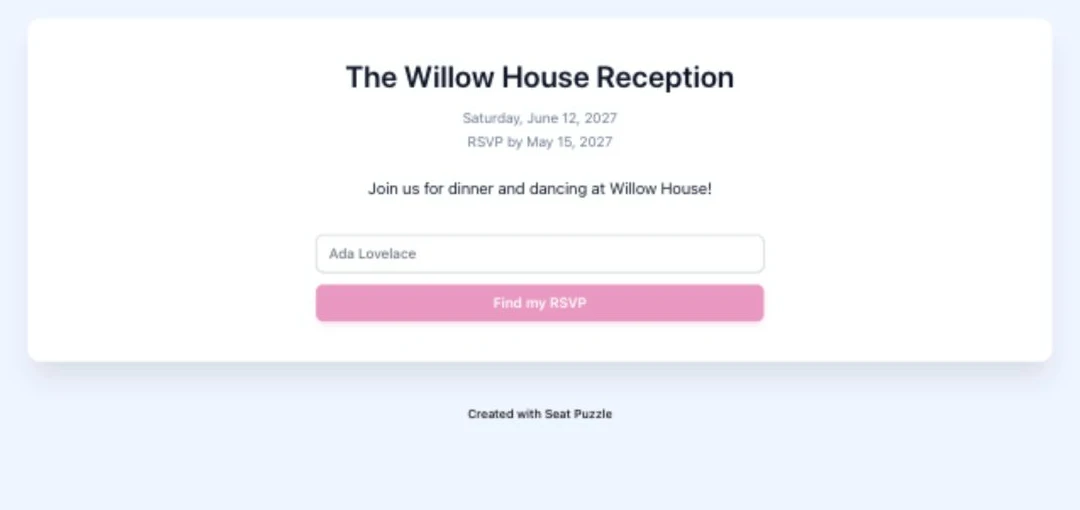
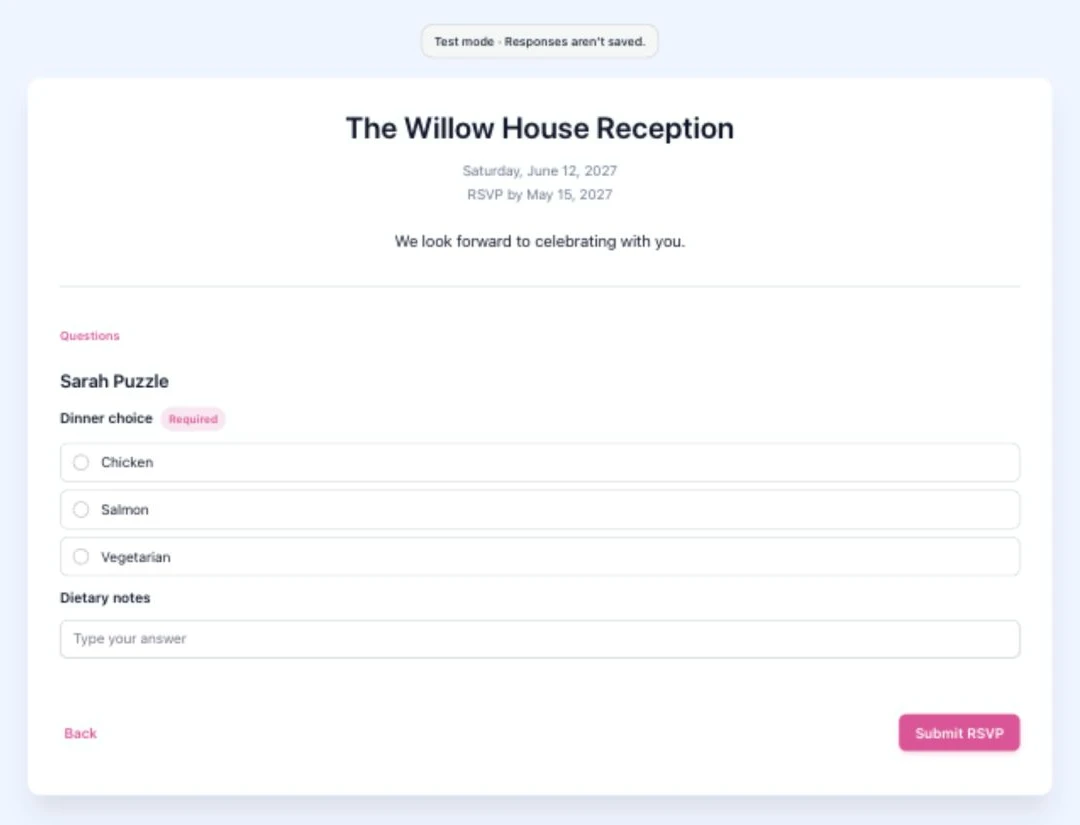
To change your reply, open the same link and look up your name again. If the page can’t find you, check the spelling on the invitation or ask the host which name to use.