How to duplicate, lock, or layer a floor item
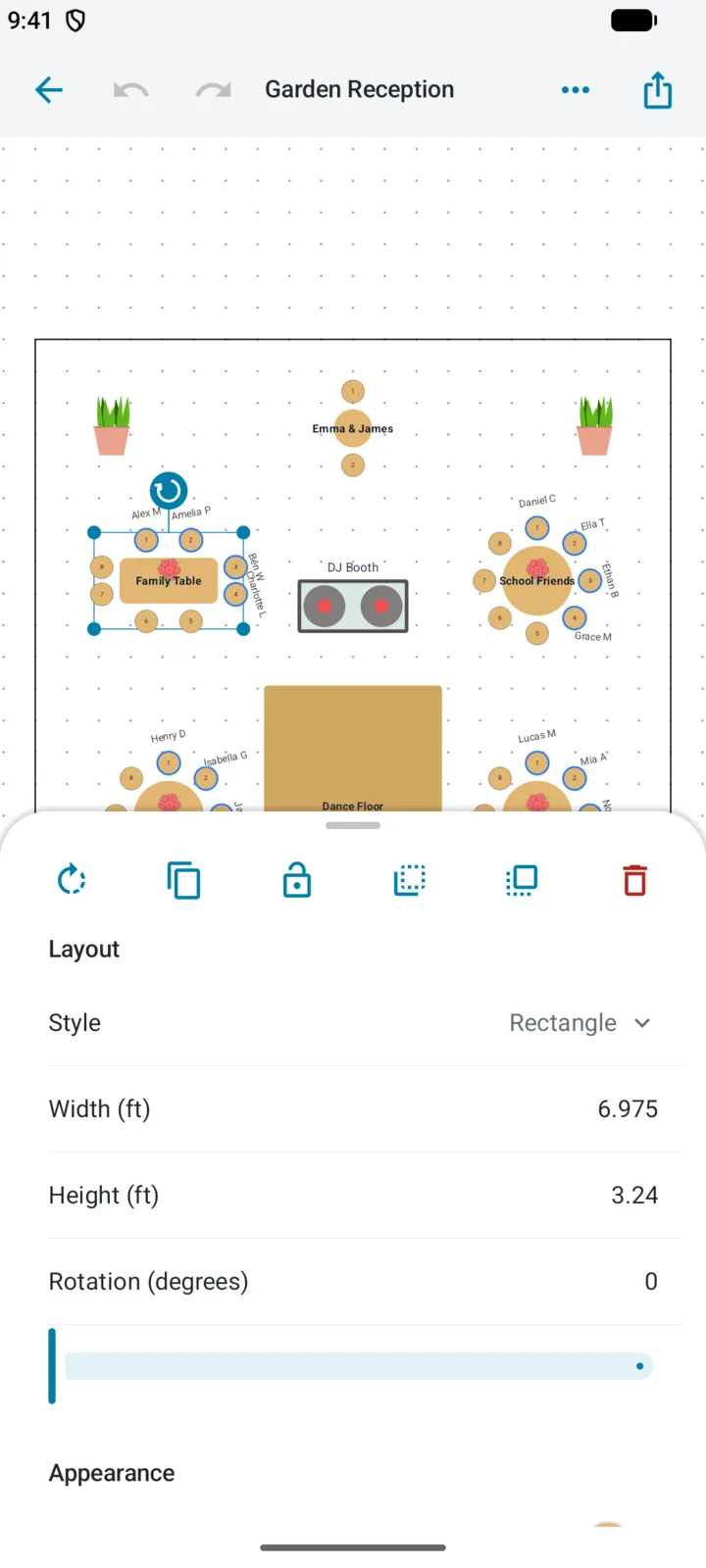
Tap an item on the floor plan. Use the buttons at the top of the item panel.
- Tap Duplicate (overlapping squares) to make a copy. Drag the copy into place.
- Tap Lock position (padlock) to keep the item in place. Tap the padlock again when you want to move it.
- Tap Send to back or Bring to front to change which item appears on top when items overlap.