How to group guests into parties or add a plus-one on Android
Create or join a party
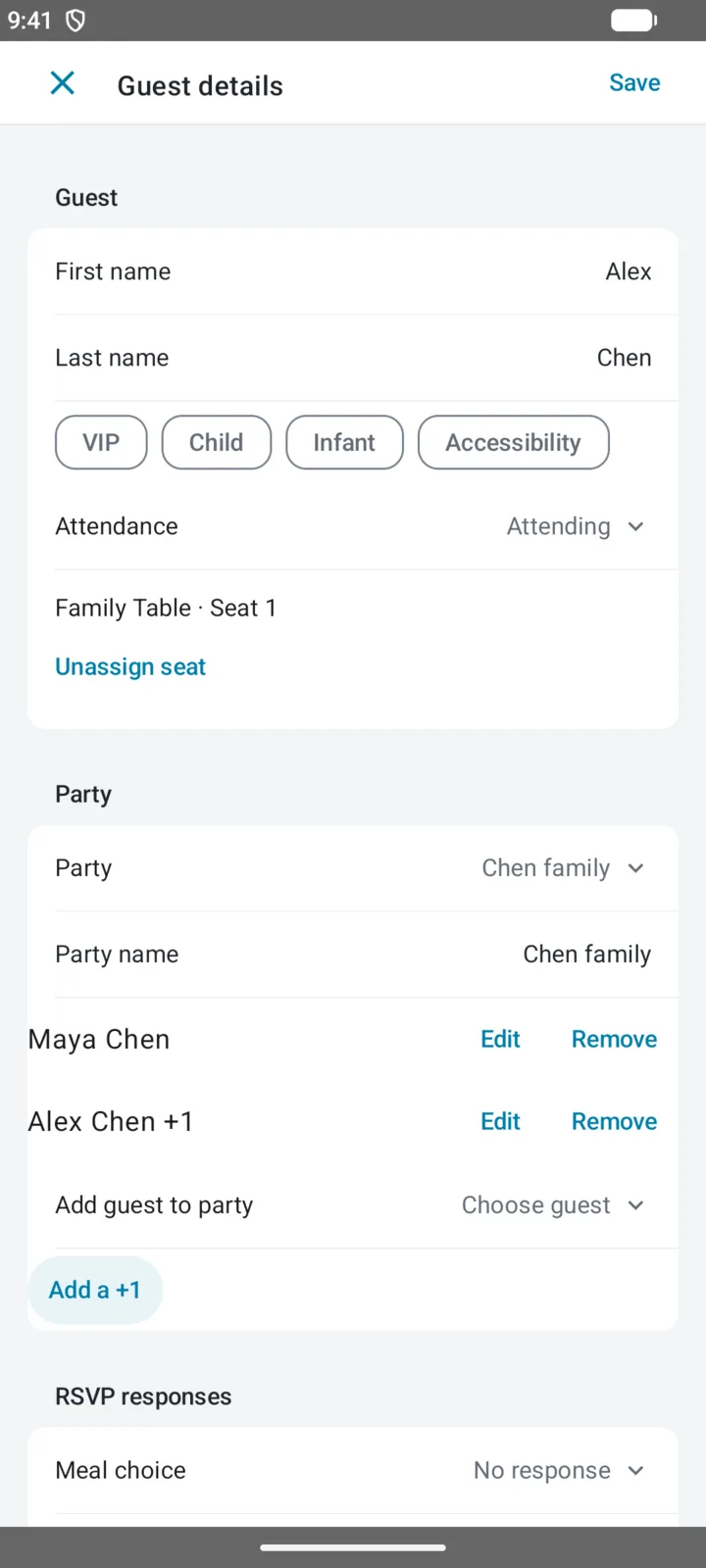
- Open Guests and tap a guest’s name.
- In Party, tap the Party row to choose an existing group. To start a new group for this guest, enter a New party name and tap Create party.
- Use Add guest to party to bring in people from your guest list. Repeat for each guest you want to add.
- Tap Save.
Add a plus-one
In a guest’s Party section, tap Add a +1. Seat Puzzle adds the plus-one to the guest’s party and creates a party if needed. If you know their name, tap Edit next to the new member, enter their name, and tap Done. Tap Save in the guest details to keep your changes.