How to search, filter, or group guests
Find a guest or party
Open Guests, tap the magnifying glass, and type part of a guest or party name. Tap the X to clear the search.
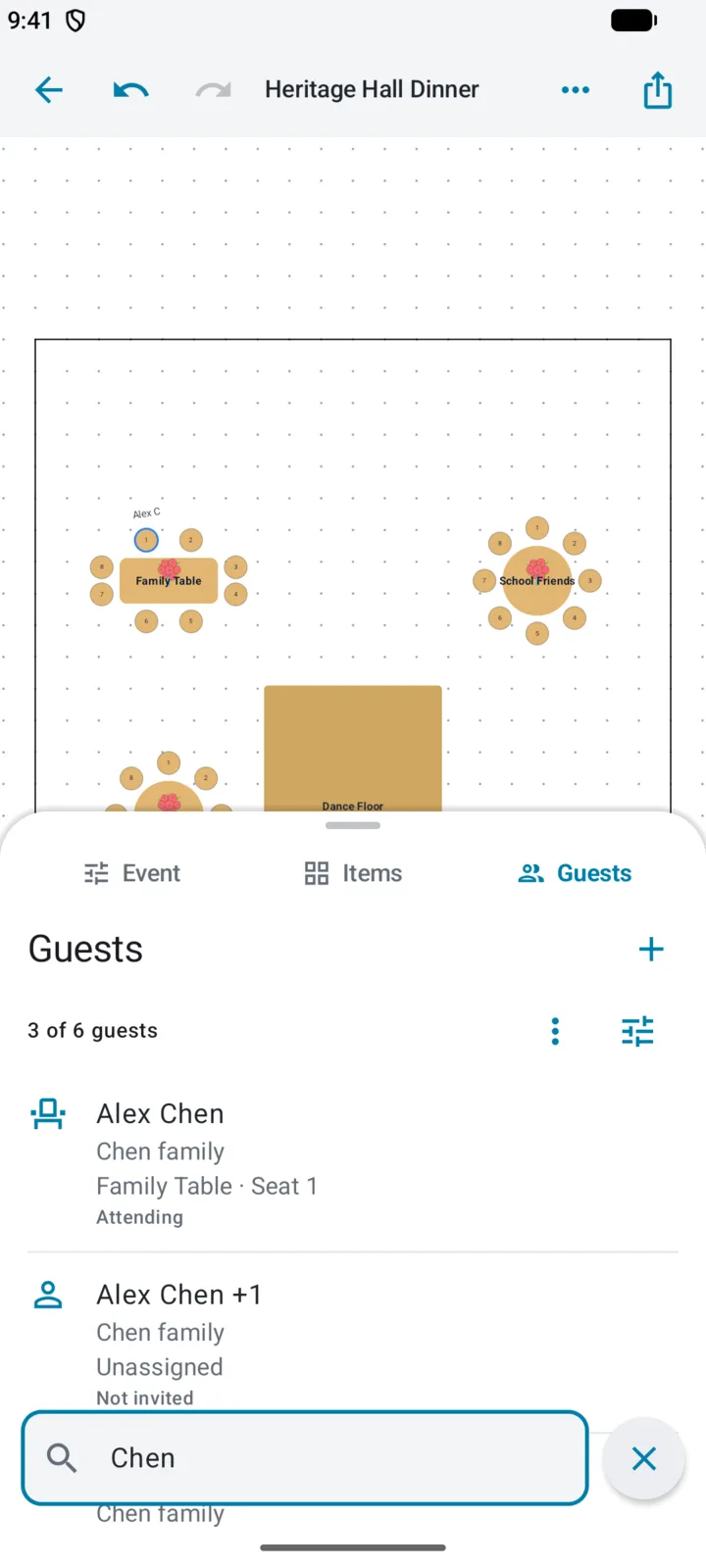
Narrow or organize the list
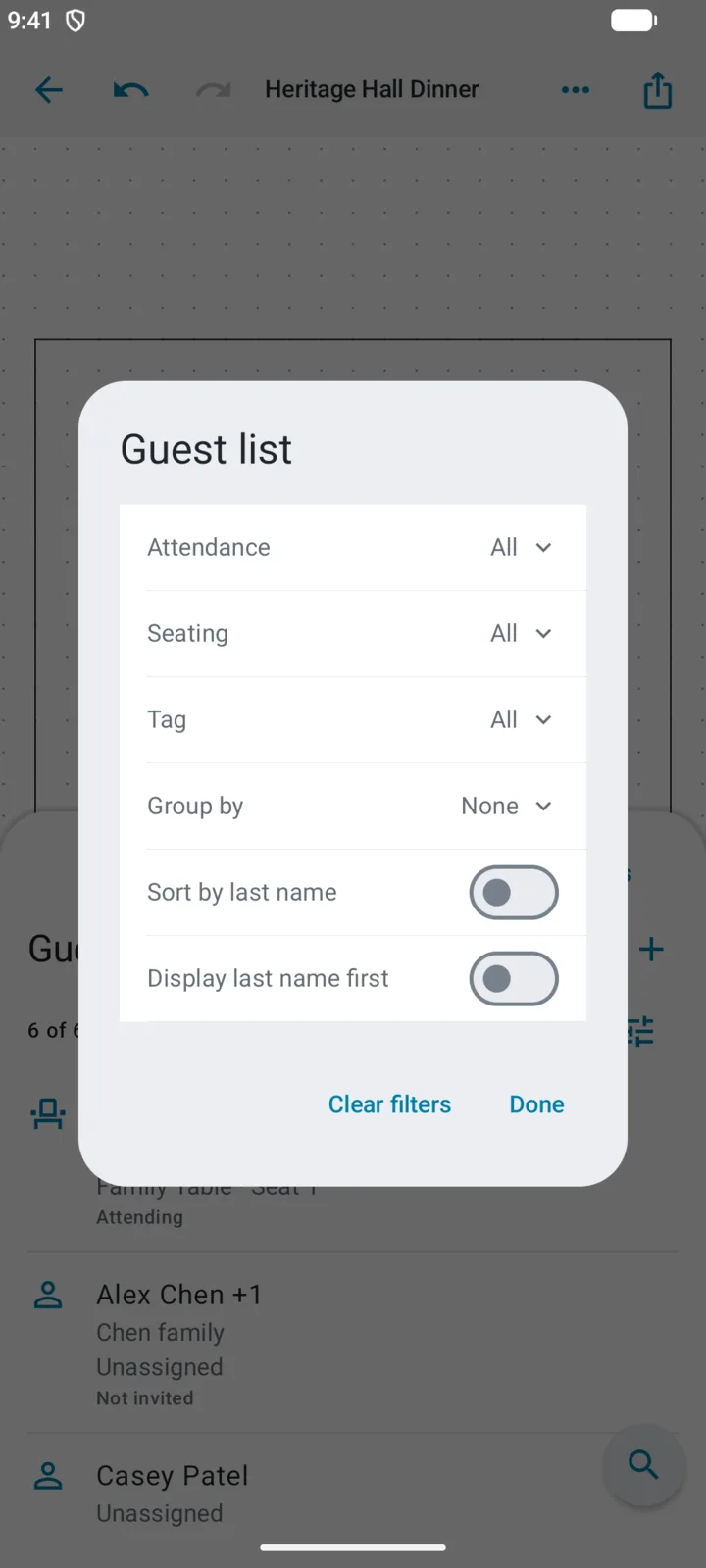
- Tap Filter and group guests, the sliders icon above the list.
- Choose a filter under Attendance, Seating, or Tag. For example, choose Unassigned under Seating to see who needs a seat.
- To organize the results, tap Group by and choose Party, Table, or Attendance. You can also turn on Sort by last name or Display last name first here.
- Tap Done. To reset the filters and grouping, reopen the dialog and tap Clear filters.