How to add or edit a guest
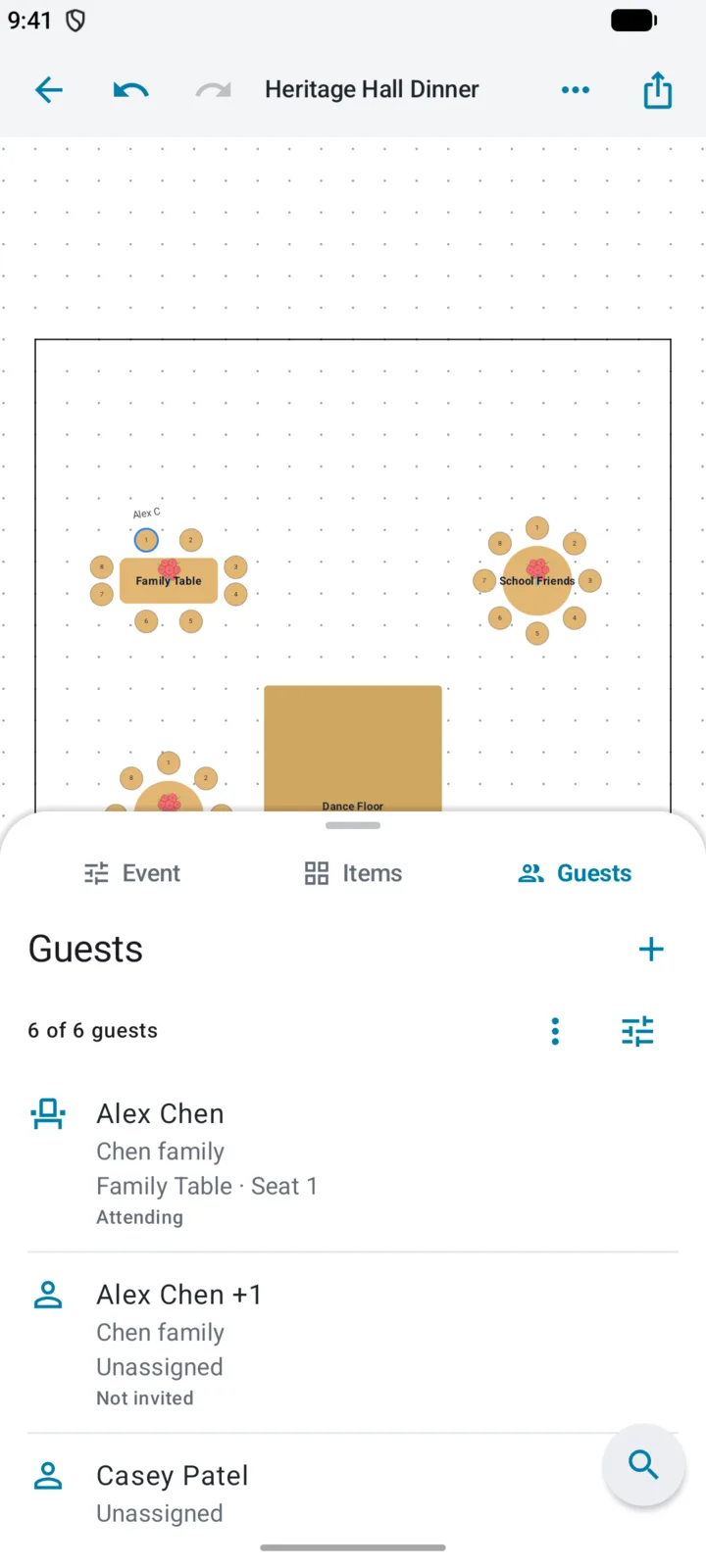
- Open your event and tap Guests.
- Tap Add guest or the plus button at the top of the guest list.
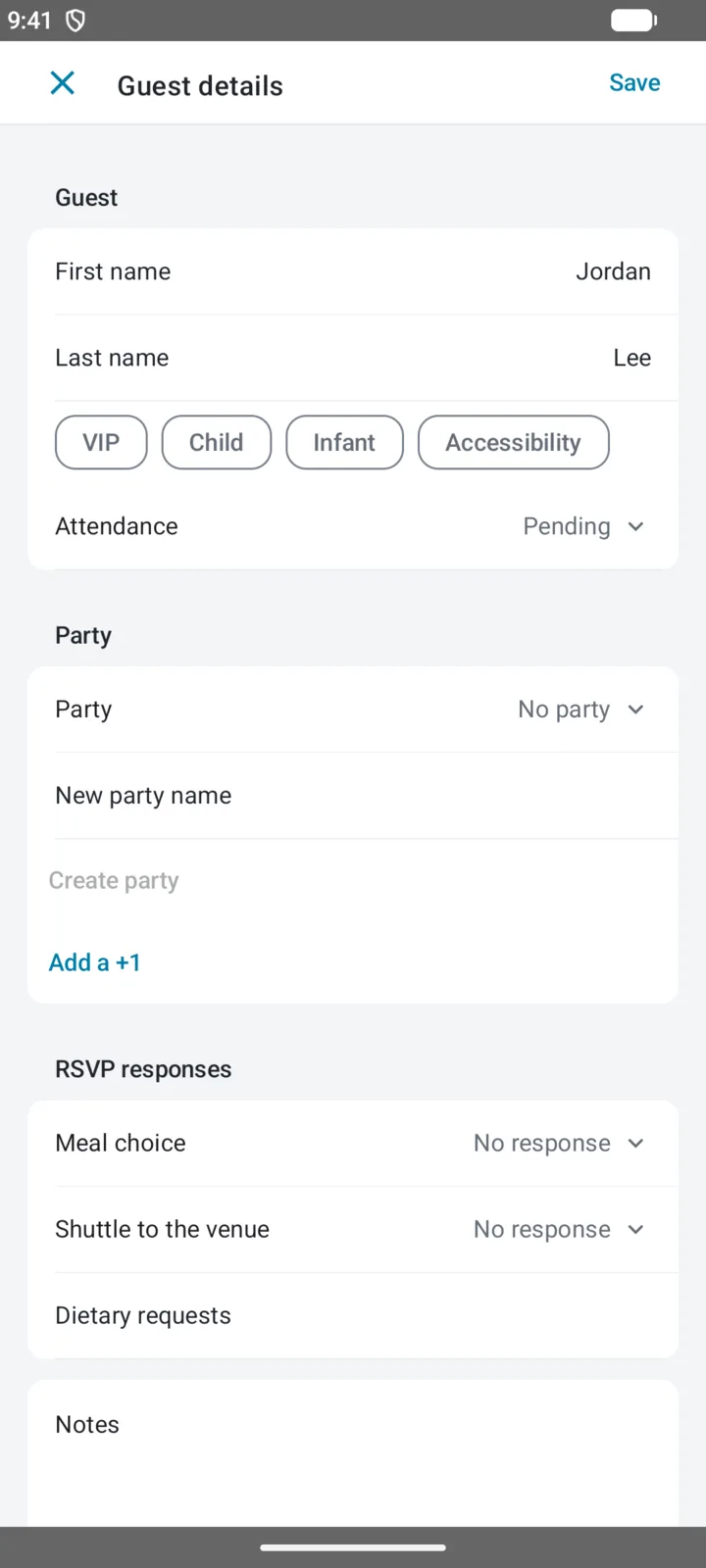
- Enter a first name, a last name, or both.
- Tap a tag such as VIP or Accessibility if it applies. Add any details you want to keep in Notes.
- Tap Save.
To update a guest, tap their name in the list, make your changes, and tap Save.