How to change the grid and how guest names appear
Adjust the grid
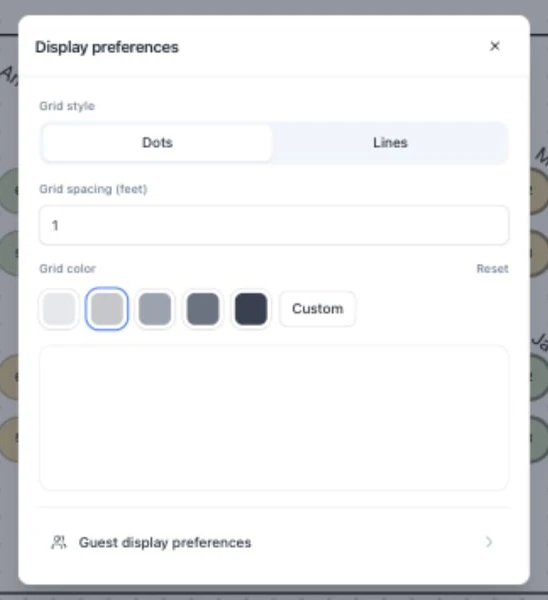
Open Event settings → Display preferences. Choose Dots or Lines, adjust Grid spacing, or choose a Grid color. Check the preview as you make changes.
Change names on the list and on seats
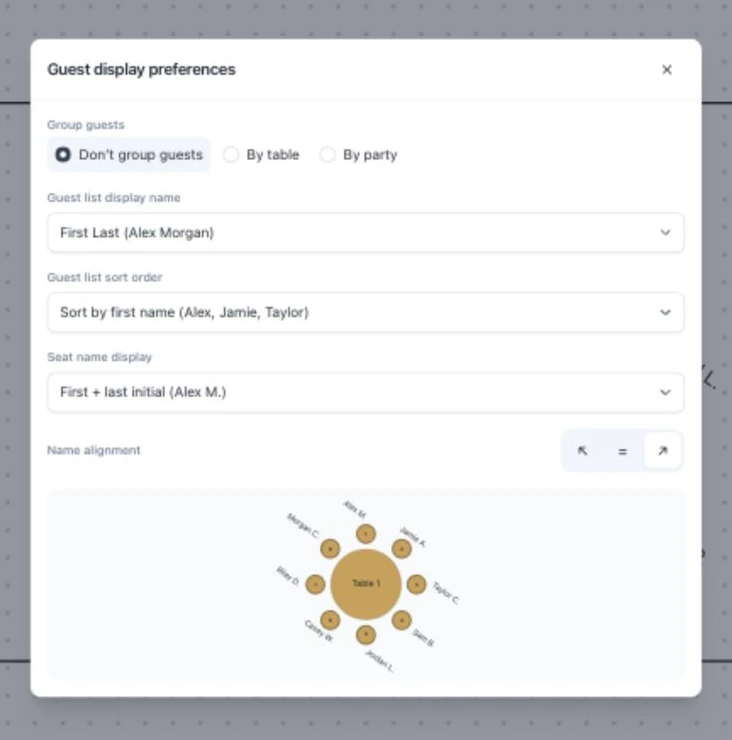
Select Guest display preferences from that dialog, or select Display in Guest List.
- Group guests by table or party, or keep one list.
- Set Guest list display name and Guest list sort order separately.
- Set Seat name display to full names, first names, first name with last initial, or initials. Use Name alignment to turn labels left, right, or horizontal.